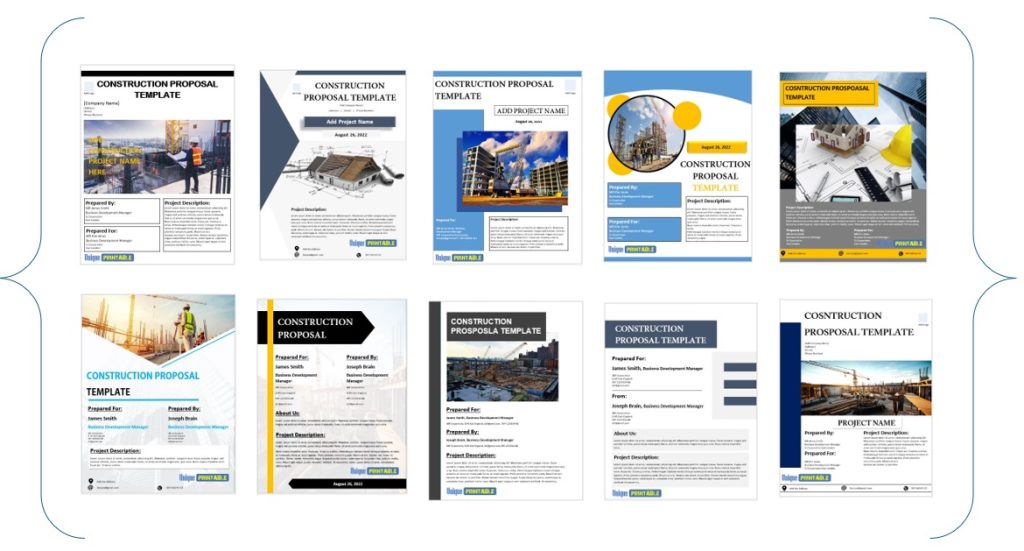
The best construction template proposal matches the job you are bidding on, opens in software you already own, and leaves room for scope, price and terms. A general Word proposal suits most small contractors. A residential layout suits remodelers pitching homeowners, and a commercial layout suits general contractors bidding to owners. A subcontractor layout suits trades bidding to a general contractor, and a tender layout suits public-sector work.
Most bids are not lost on price alone. They are lost on vague scope, a total buried on page four, or no clear next step for the client. Building each proposal from a blank page also eats hours you could spend pricing the next job. A good template removes the formatting work and forces you to answer the questions every client asks.
This article covers the seven types of construction proposal template worth keeping on file. For each one you get what it covers, who should use it, and what to change before you send it. Where Unique Printable has a matching free set of editable Word templates, we point you to it. Start with the section on essential parts, then jump to the type that fits your next bid.
What every construction proposal must include
A construction proposal is a priced offer that tells a client what you will build, when, for how much, and on what terms. Whatever the job type, winning proposals follow the same order, and that order is what a template gives you.
The seven parts, in order
Guides count five, seven or ten parts depending on how they group things, but the content is the same. The standard format has seven parts, and each one answers a question the client is silently asking. Keep this order and a client comparing three bids can find your numbers in seconds.
- Cover details: your company name, license number, contact details, the client’s name and the project address.
- Executive summary: two or three sentences on the job, the price and the timeline.
- Scope of work: every task you will perform, plus a list of exclusions.
- Schedule: start date, milestones and completion date.
- Price and payment schedule: an itemized total and when each payment falls due.
- Terms and conditions: warranty, insurance, change orders, termination and how long the offer stays valid.
- Acceptance: signature and date lines for both parties.
Scope, price and terms decide the bid, and everything else is presentation.
How to show the price
Show the price as a short build-up, not a single lump. Clients trust a number they can follow, and an itemized table protects you when someone asks why the total changed. Here is a small example for a $17,500 direct-cost job with 15% overhead and profit.
| Line | Amount |
|---|---|
| Materials | $9,500 |
| Labor | $7,200 |
| Equipment | $800 |
| Direct costs subtotal | $17,500 |
| Overhead and profit (15%) | $2,625 |
| Proposal total | $20,125 |
Word, PDF or Excel
Keep your master in Word, calculate in Excel when you need automatic totals, and send a PDF. Each format has one job, and mixing them up is how typos reach clients.
| Format | Best for | Watch out for |
|---|---|---|
| Word (.docx) | Editing scope, terms and layout | Fonts shift if the client opens it on another system |
| Excel (.xlsx) | Estimates with automatic totals | Wide sheets print badly unless you set the print area |
| Sending the final bid | Hard to edit, so keep the Word master |
Unique Printable’s construction proposal templates are MS Word files. You can open them in Google Docs by uploading the .docx to Google Drive and choosing Open with, then Google Docs. The templates default to A4, so switch to US Letter through Page Setup before you print.
1. General construction proposal template
The general template is the all-purpose bid for one client, one site and one price. If you only keep one file on hand, keep this one.
What it covers
Unique Printable offers 10+ free construction proposal templates in MS Word. Contractors fill in the project details to produce a bid document without starting from a blank page. Open the file you pick and check it against the seven parts above. Add any section it lacks.
A general template works for jobs such as:
- Additions, decks and garages
- Repairs and structural fixes
- Small fit-outs and renovations
- One-off jobs where you have no trade-specific form
Who it suits
This one suits sole traders and small contractors who quote several kinds of work and do not want a separate file for each. One well-built master beats five half-finished specialist forms.
It also suits anyone who wants no strings. Unique Printable files need no sign-up, email address or payment, and you can add your own branding and use them commercially. You cannot resell the template files themselves.
What to customize
Do the same four edits every time, then save the file as a master and use Save As for each new bid.
- Add your logo, company name and license number.
- Write scope as concrete tasks, such as "install 1,200 sq ft of luxury vinyl plank", not "flooring work".
- List exclusions in the same place every time.
- Set a validity period, commonly 30 days, so material price changes do not bind you.
A general template earns its keep when every bid you send looks the same and reads clearly.
2. Residential construction proposal template
A residential proposal is written for a homeowner, not a procurement team. It trades formality for plain language, clear allowances and a payment schedule a household can plan around.
What it covers
The residential layout adds what homeowners worry about most: who is accountable, what is included, and when money leaves their account. Expect a short company profile, a scope split by room or phase, and warranty and insurance details. Many builders also add photos of finished projects.
Allowances matter here. An allowance is the amount you budget for items the homeowner will choose later, such as tile or light fixtures. State each one as a dollar figure, so a surprise upgrade does not become a dispute.
Who it suits
Remodelers, home builders and general contractors doing kitchens, bathrooms, additions and new homes get the most from this type. Anyone whose client lives in the building should use it.
Start from a general template, then add the homeowner-specific sections yourself. The Word format makes that a ten-minute job.
What to customize
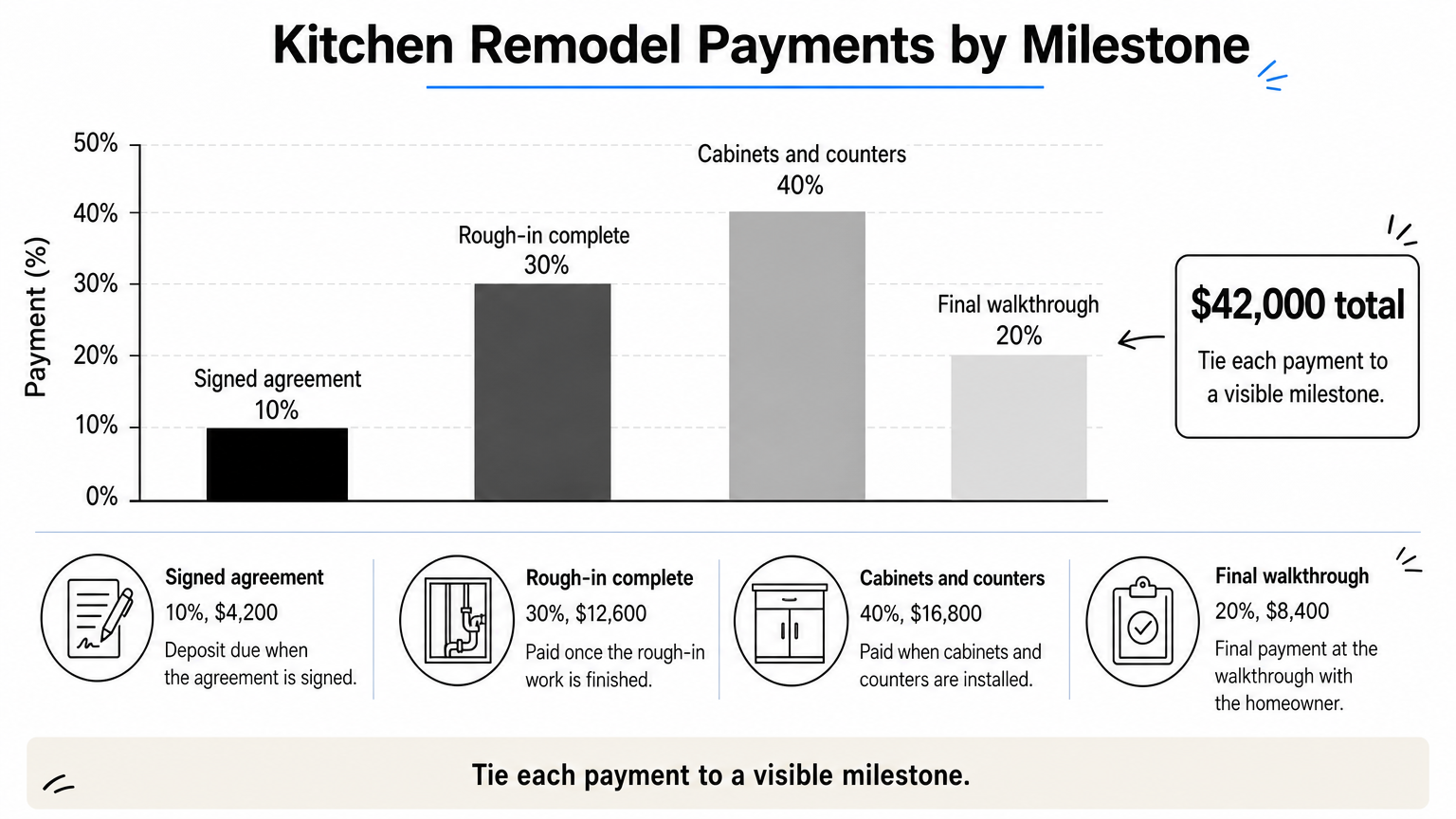
The payment schedule is the part to get right. Tie each payment to a visible milestone, not a calendar date. Here is a worked example for a $42,000 kitchen remodel.
| Milestone | Share | Amount |
|---|---|---|
| Signed agreement (deposit) | 10% | $4,200 |
| Rough-in complete | 30% | $12,600 |
| Cabinets and counters installed | 40% | $16,800 |
| Final walkthrough | 20% | $8,400 |
| Total | 100% | $42,000 |
Some states cap how large a deposit can be on home improvement work, so check your state’s rules before you set the first line. Also add a change-order clause that says changes need a signed written order with a price.
A homeowner reads your proposal as a promise, so write every allowance and exclusion in plain words.
3. Commercial construction proposal template
A commercial proposal is longer and more formal than a residential one. The reader is an owner, developer or property manager, often comparing several qualified bidders.
What it covers
The commercial layout adds a cover letter, company background, project team and roles, a phased schedule and a fuller price breakdown. It also gives space for insurance, bonding and safety information, because commercial clients prequalify bidders on those points.
Expect these sections beyond the basics:
- Cover letter addressed to a named person
- Roles and responsibilities for your team and the client’s
- Phased schedule with milestones
- Alternates and unit prices
- Assumptions and clarifications
Who it suits
General contractors bidding tenant improvements, retail build-outs, offices and warehouses are the core users. Design-build firms and construction managers also use this structure, since it can cover every phase of a job.
Small contractors stepping into commercial work should use it too. It shows you understand how the client evaluates bids, even if your company is new to the market.
What to customize
Spend your time on proof. Replace generic claims with three comparable completed projects, your insurance limits and your safety record if you track one. Name the project manager and superintendent who would run the job, since commercial owners buy people as much as price.
List your assumptions plainly: working hours, site access, who supplies power and water, and which permits you pull. Anything you do not list becomes a change order later, and owners remember who tried to claim one.
Commercial owners hire the team they can picture on site, so show them who that team is.
4. Subcontractor proposal template
A subcontractor proposal goes to a general contractor, not the project owner. It prices one trade against the plans and specs, and the GC will compare it line by line with other subs.
What it covers
This layout is narrow and precise. It names the trade, references the plan sheets, spec sections and addenda you priced, and lists inclusions, exclusions and clarifications. Clarifications flag anything too vague to price, so the GC knows what you assumed.
A GC reading ten electrical bids wants to see scope boundaries fast. If you excluded trenching or permit fees, that line should be easy to find.
Who it suits
Electrical, plumbing, HVAC, drywall, concrete, framing and other trade subs use this type to bid on GC-led projects. It also suits suppliers who install, such as flooring or glazing companies.
Pair it with your own estimating sheet. The proposal states the number, and the spreadsheet shows how you reached it.
What to customize
Start by listing the addenda numbers you received, so no one can say you priced outdated drawings. Then set your quote validity, since material prices move and a GC may take weeks to award.
- List unit prices for likely changes, such as extra outlets or extra linear feet of pipe.
- State your payment terms and check how the GC’s contract handles payment timing before you sign.
- Name what you need from the GC, such as site access dates and staging space.
A subcontractor bid is won or lost on the exclusions list, so make it specific.
5. Roofing and specialty trade proposal template
Single-trade work for property owners, such as roofing, painting, fencing and concrete, needs a shorter proposal built around measurements and materials. The client wants to know what goes on, what it costs and who stands behind it.
What it covers
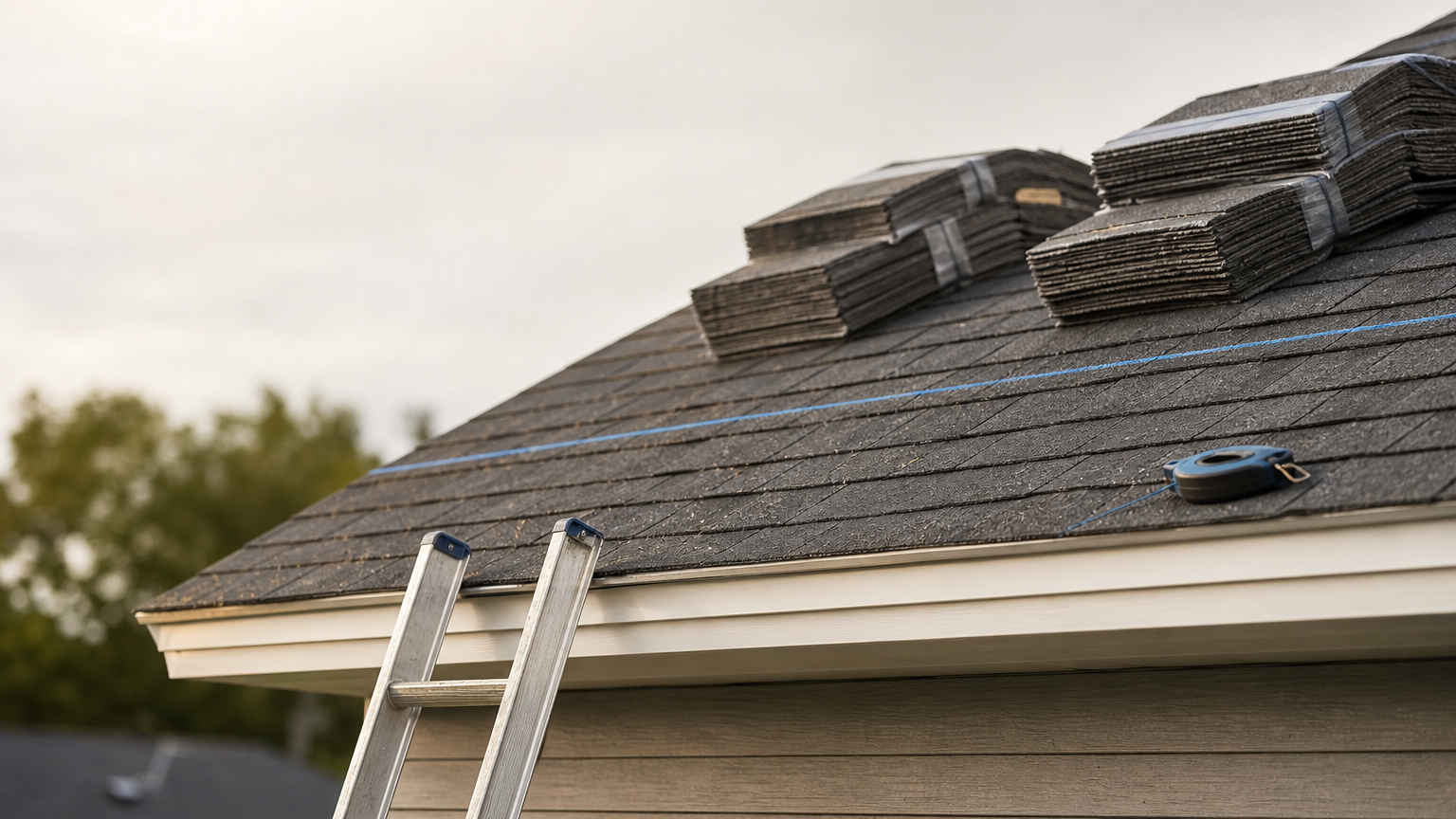
A specialty trade layout leads with an assessment of the current condition and a materials specification. For a roof, that means measured area, tear-off or overlay, underlayment, shingle type and flashing. A 2,400 sq ft roof surface is 24 "squares," since roofers measure in squares of 100 sq ft.
Warranty detail matters more here than on larger jobs. Separate your workmanship warranty from the manufacturer’s material warranty, and state how long each lasts.
Who it suits
Roofers, painters, landscapers, fence builders and flooring installers use this type. It also suits any contractor quoting a repair that does not justify a ten-page document.
For very small jobs, a quotation can be enough. Unique Printable also has quotation templates for price quotations and estimates sent before work is agreed.
What to customize
Name the product, not the category. Write the brand, line and color, because "architectural shingles" can mean three price tiers. Then cover the things that start arguments:
- Debris removal and cleanup
- Protection of landscaping and surfaces
- Weather delays and rescheduling
- What happens if hidden damage appears, such as rotted decking, and how you price it
Name the exact material and the exact warranty, because vague specialty-trade proposals invite price-only comparisons.
6. Land development proposal template
A land development proposal pitches a site plan, not a building. The reader is a landowner, investor or approving body, and your job is to show the project is feasible, phased and financed.
What it covers
Unique Printable’s free land development proposal templates are a set of 10 in MS Word. They cover residential subdivisions, commercial schemes, feasibility studies, phasing plans and development budgets. All sections are editable, so you add site-specific detail instead of building the structure from scratch.
The structure differs from a building bid. Expect more weight on site conditions, approvals, infrastructure and phasing, and less on finishes.
Who it suits
Developers, land consultants and landowners seeking a partner or approval will find this type useful. Civil and site contractors bidding the early works of a development can borrow its phasing and budget sections.
Developers, consultants and landowners can use and brand the files at no charge. You cannot resell the template files themselves.
What to customize
Replace the placeholder site data with surveyed figures: acreage, lot count, zoning and utility availability. Then rework the phasing plan so each phase has its own budget and completion date, which lets a lender or partner release funds in steps.
Treat the feasibility numbers carefully. List the assumptions behind every cost and revenue line, and state which approvals are still pending. A proposal that admits its open risks reads as more credible than one that hides them.
A land development proposal sells a phased plan, so give every phase its own budget and date.
7. Government tender proposal template
A government tender proposal answers a written solicitation. You do not choose the structure. The authority does, and the best template helps you comply, not impress.
What it covers
Unique Printable’s free government project proposal templates are a set of 10 in MS Word. They cover tender responses, technical and financial submissions, grant applications and capability statements. All sections are editable.
One rule overrides everything in the set. Where an authority specifies a format, that format wins over every template. Use the template to organize your content and draft your answers, then place them into the required structure.
Who it suits
Contractors, consultants and organizations bidding on public-sector work benefit most. That includes firms bidding for the first time, since the capability statement and technical submission sections give them a way to present experience clearly.
Contractors, consultants and organizations can use and brand the files at no charge, and the no-resale rule applies here as well.
What to customize
Work from the solicitation document, not from the template. Answer each requirement in the order the authority lists it, and use its numbering in your headings so evaluators can score you without hunting.
Check three things before submitting:
- Required forms, registrations and certifications are attached.
- Technical and financial submissions are separated if the solicitation asks for that.
- Your submission meets the deadline and delivery method exactly, since late bids are typically rejected.
In a tender, compliance comes first, and a polished proposal that ignores the required format loses to a plain one that follows it.
Pick the template that matches the bid
Match the template to the reader. Use a general proposal for one-off jobs, a residential layout for homeowners, and a commercial layout for owners and developers. Use a subcontractor layout for GCs, a specialty layout for single-trade work, a land development layout for site schemes, and a tender layout when an authority sets the rules. Whichever you choose, keep the seven parts in order and make scope, price and terms impossible to miss.
Save one Word master, edit it for each job, and send it as a PDF. That habit alone cuts the time per bid and keeps your proposals consistent. If you want a starting point, Unique Printable’s free construction proposal templates are editable in Word, need no sign-up, and allow commercial use with your own branding.